> For the complete documentation index, see [llms.txt](https://docs.coherent.global/llms.txt). Markdown versions of documentation pages are available by appending `.md` to page URLs; this page is available as [Markdown](https://docs.coherent.global/integrations/adapter-playbook.md).
# Adapter playbook
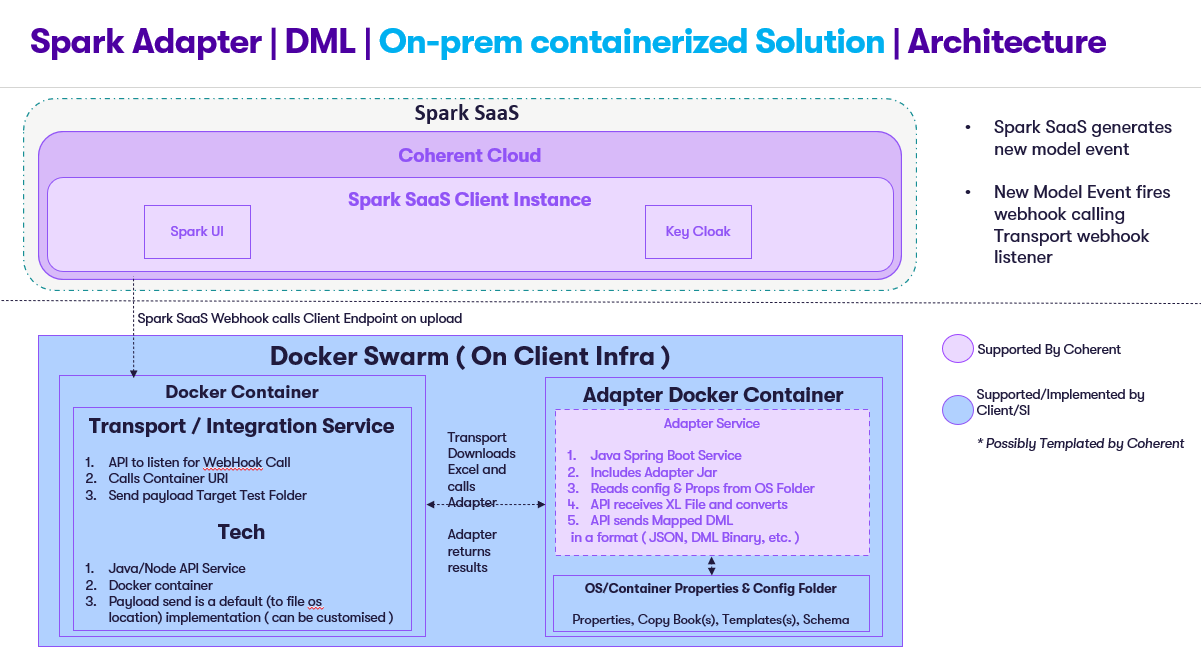
The **Adapter playbook** provides guidance on how to integrate Spark with different AS400 applications. The diagram below shows the Spark Adapter solution architecture.
## Prerequisites
### Local environment
#### Java
1. Install [Java 17](https://jdk.java.net/java-se-ri/17).
2. Test the installation by running `java --version` on your terminal.
#### Maven
1. Install [maven 3.9](https://maven.apache.org/download.cgi).
2. Test the installation by running `maven --version` on your terminal.
### Docker container environment
#### Docker
1. Install [Docker](https://docs.docker.com/get-docker/).
2. Test installation by running `docker --version` on your terminal.
3. After installation, check the official [cheatsheet](https://docs.docker.com/get-started/docker_cheatsheet.pdf) for additional references on working with docker.
#### Docker Compose
* Install [Docker Compose](https://docs.docker.com/compose/install/).
* Test installation by running `docker-compose --version` on your terminal.
* After installation, check the [official documentation](https://docs.docker.com/compose/reference/) for additional references on working with docker-compose.
## Adapter setup guides
### Adapter DML LifeAsia
Adapter DML LifeAsia's API accepts a `POST` request with a `sparkModel`, Excel file. Based on the file, with the templates and copybooks, will create a DML result as an API response in string format.
Here are some links and references for the Adapter DML LifeAsia.
* [Maven](https://maven.apache.org/guides/introduction/introduction-to-the-lifecycle.html)
* [Spring Boot](https://spring.io/projects/spring-boot)
#### **Populate the resources folder**
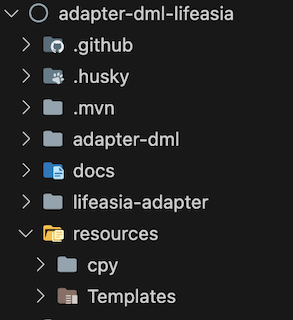
Provide and paste your copybooks and templates that are necessary, into the `resources` folder.
#### Local environment setup
**Install local jar dependencies**
```sh
cd lifeasia-adapter
sh ./install_lib.sh
cd -
```
**Build**
```sh
./mvnw clean package
```
**Run**
```sh
./mvnw spring-boot:run -pl adapter-dml
```
or via
```sh
java -jar -DADAPTER_PROPERTIES_REF=./lifeasia-adapter/conf/lifeasia-adapter.properties -DRESOURCES_FOLDER=./resources/ ./adapter-dml/target/adapter-dml-0.0.1-SNAPSHOT.jar
```
**Test**
```sh
curl -L -X POST 'http://{url}/converter/lifeasia/custom' -F 'sparkModel=@"/{path-to-file}"'
```
#### Docker environment setup
**Build**
```sh
docker build . -t adapter-dml-lifeasia
```
Please reference Docker's documentation on [`docker build`](https://docs.docker.com/engine/reference/commandline/build/).
**Run**
**Unix**
```sh
docker run -d -v ./resources:/app/resources --name adapter-dml-lifeasia-container -p 8080:8080 adapter-dml-lifeasia
```
**Windows**
```sh
docker run -d -v {path}/resources:/app/resources --name adapter-dml-lifeasia-container -p 8080:8080 adapter-dml-lifeasia
```
**Logs**
```sh
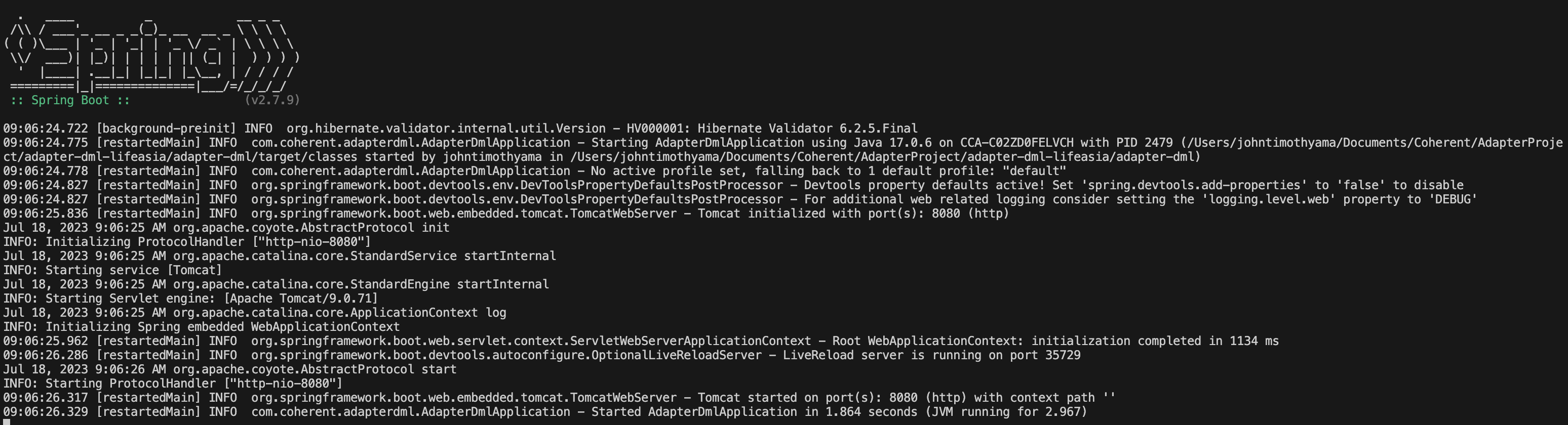
docker logs adapter-dml-lifeasia-container
```
Please reference Docker's documentation on [`docker run`](https://docs.docker.com/engine/reference/commandline/run/) and [`docker logs`](https://docs.docker.com/engine/reference/commandline/logs/).
### Adapter DML Ingenium
Adapter DML Ingenium's API accepts a `POST` request with a `sparkModel` and Excel file. Based on the file, will create a DML result as an API response in JSON format.
Here are some links and references for the Adapter DML Ingenium:
* [Maven](https://maven.apache.org/guides/introduction/introduction-to-the-lifecycle.html)
* [Spring Boot](https://spring.io/projects/spring-boot)
#### Local environment setup
**Build**
```sh
./mvnw clean package
```
**Run**
```sh
./mvnw spring-boot:run -pl adapter-dml
```
or via
```sh
java -jar -DADAPTER_PROPERTIES_REF=pfadapter/conf/adapter.properties -DINGENIUM_TEMPLATE_REF=pfadapter/conf/Ingenium_Template.json ./adapter-dml/target/adapter-dml-0.0.1-SNAPSHOT.jar
```
**Test**
```sh
curl -L -X POST 'http://{url}/converter/ingenium/custom' -F 'sparkModel=@"/{path-to-file}"'
```
#### Docker environment setup
**Build**
```sh
docker build . -t adapter-dml-ingenium
```
Please reference Docker's documentation on [`docker build`](https://docs.docker.com/engine/reference/commandline/build/).
**Run**
```sh
docker run -d --name adapter-dml-ingenium-container -p 8080:8080 adapter-dml-ingenium
```
**Logs**
```sh
docker logs adapter-dml-ingenium-container
```
Please reference Docker's documentation on [`docker run`](https://docs.docker.com/engine/reference/commandline/run/) and [`docker logs`](https://docs.docker.com/engine/reference/commandline/logs/).
### Adapter Externaliser
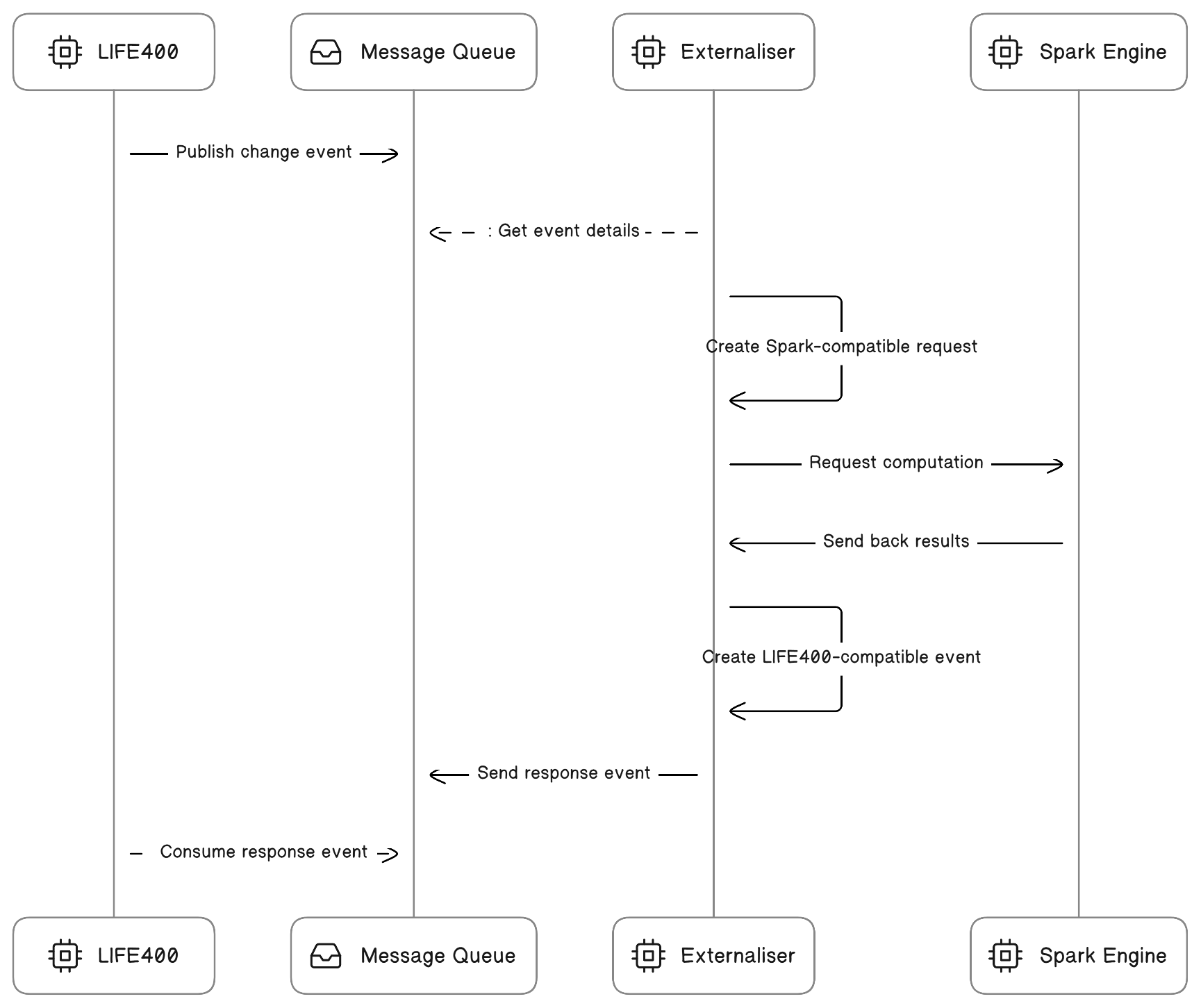
The Adapter Externaliser provides calculations from Spark by listening for a request in the message queue from an AS400 server and providing the calculation result back to message queue as a response.
Here are some links and references for the Adapter Externaliser.
* [AS400 Secure](https://www.ibm.com/docs/en/i/7.1?topic=ssw_ibm_i_71/rzahh/javadoc/com/ibm/as400/access/SecureAS400.htm)
* [AS400 DataQueue](https://www.ibm.com/docs/en/i/7.1?topic=ssw_ibm_i_71/rzahh/javadoc/com/ibm/as400/access/DataQueue.htm)
#### Environment configurations
Provide the proper values and credentials in the environment file through the .ini file, values such as the following:
* `SERVER` - AS400 System application server name.
* `AS400_USER` - AS400 System application user name.
* `AS400_PASSWORD` - AS400 System application password.
* `REQUESTQUEUE` - Request data queue.
* `RESPONSEQUEUE` - Response data queue.
* `LIBRARY` - System library name.
* `INPUTSIZE` - Maximum input size.
* `JADELEGACY` - Service API Link.
* `PROXY_IP` - Proxy's IP address, used for connection to call Spark.
* `PROXY_UID` - Proxy's identification, used for connection to call Spark.
* `PROXY_PWD` - Proxy's password, used for connection to call Spark.
* `SYNTHETIC_KEY` - Spark Authentication Key.
* `TENANT` - Spark Tenant Name.
* `SPARK_URL` - Spark excel engine service url.
* `TARGET_SERVICE_OUTPUT` - Key name mapping of the result.
* `SENTRY_DSN` - Sentry data source name.
* `SENTRY_DEBUG` - Enable sentry debug logs.
Create, use and paste your API key to the environment variable SYNTHETIC\_KEY in the `.ini` file in `/bin`. Please reference Coherent's documentation on [Authorization - API keys](/spark-apis/authorization-api-keys.md).
#### Local environment setup
**Build**
```sh
mvn install
```
**Run** Run Build (make sure to have the `.ini` file in the bin folder)
**Unix**
```sh
java -Dfile.encoding=Cp1252 -cp .:bin:target/classes:lib/jt400.jar:lib/gson-2.8.0.jar:lib/log4j.jar:lib/sentry-6.25.2.jar com.etc.ce400.Externaliser DQserver2.ini Externaliser
```
**Windows**
```sh
java -Dfile.encoding=Cp1252 -classpath "./bin;{path}/lib/commons-codec-1.11.jar;{path}/lib/jt400.jar;{path}/lib/log4j.jar;{path}/lib/gson-2.8.0.jar;{path}/lib/sentry-6.25.2.jar;" {path}/src/main/java/com/etc/ce400/Externaliser.java DQserver2.ini Externaliser
```
**Test**
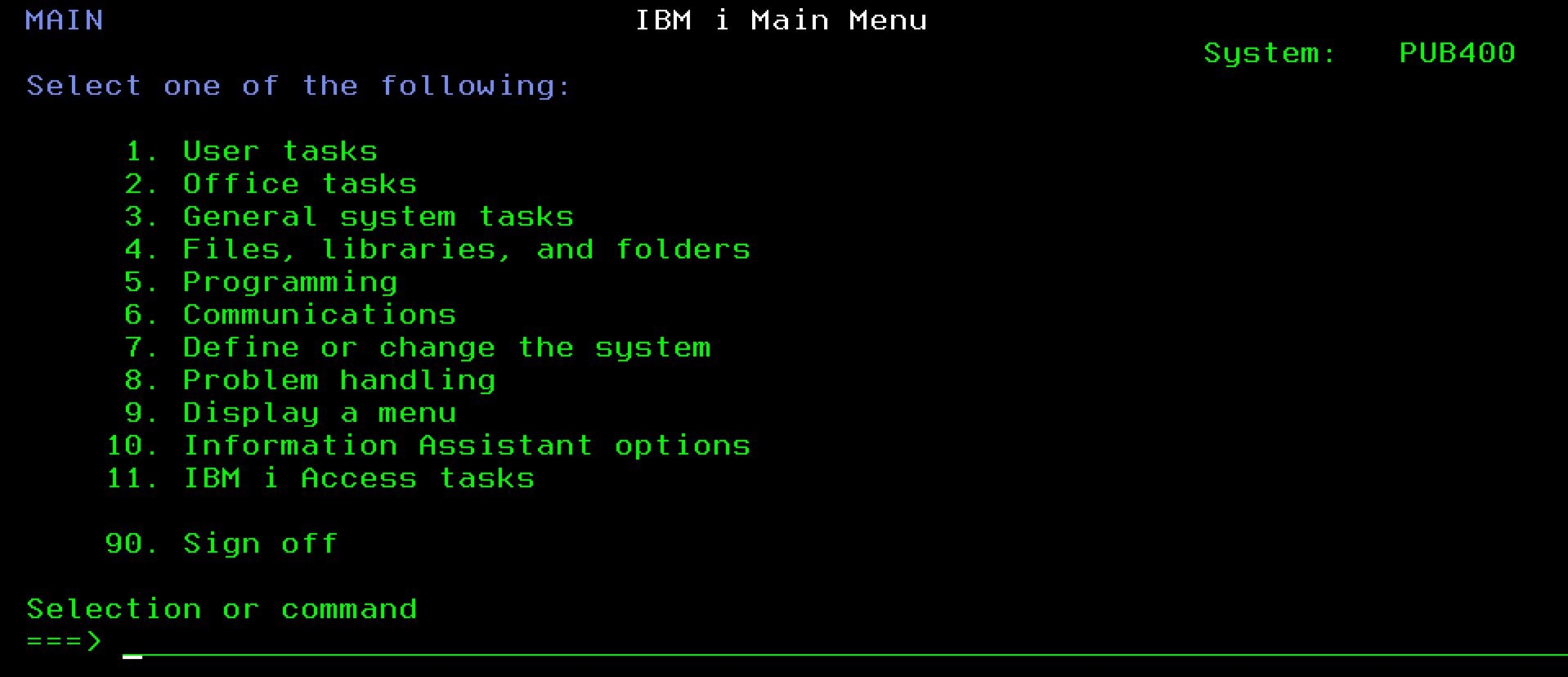
1. Access your AS400 server and enter your credentials.
2. Enter your library.
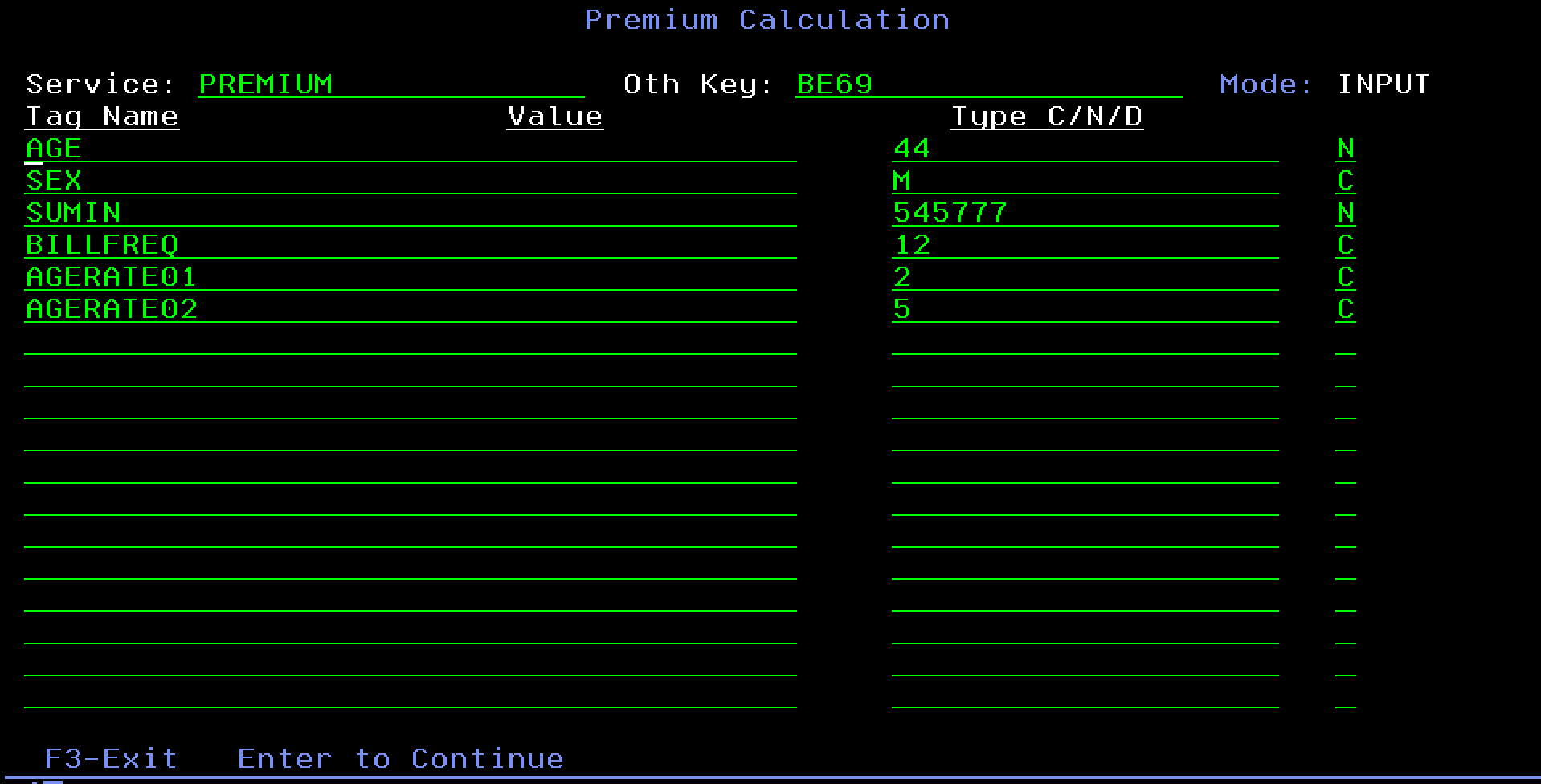
3. Enter the necessary inputs such as service name, key, tag names and values. Then press enter to continue.
4. In the Externaliser logs will appear from the request.
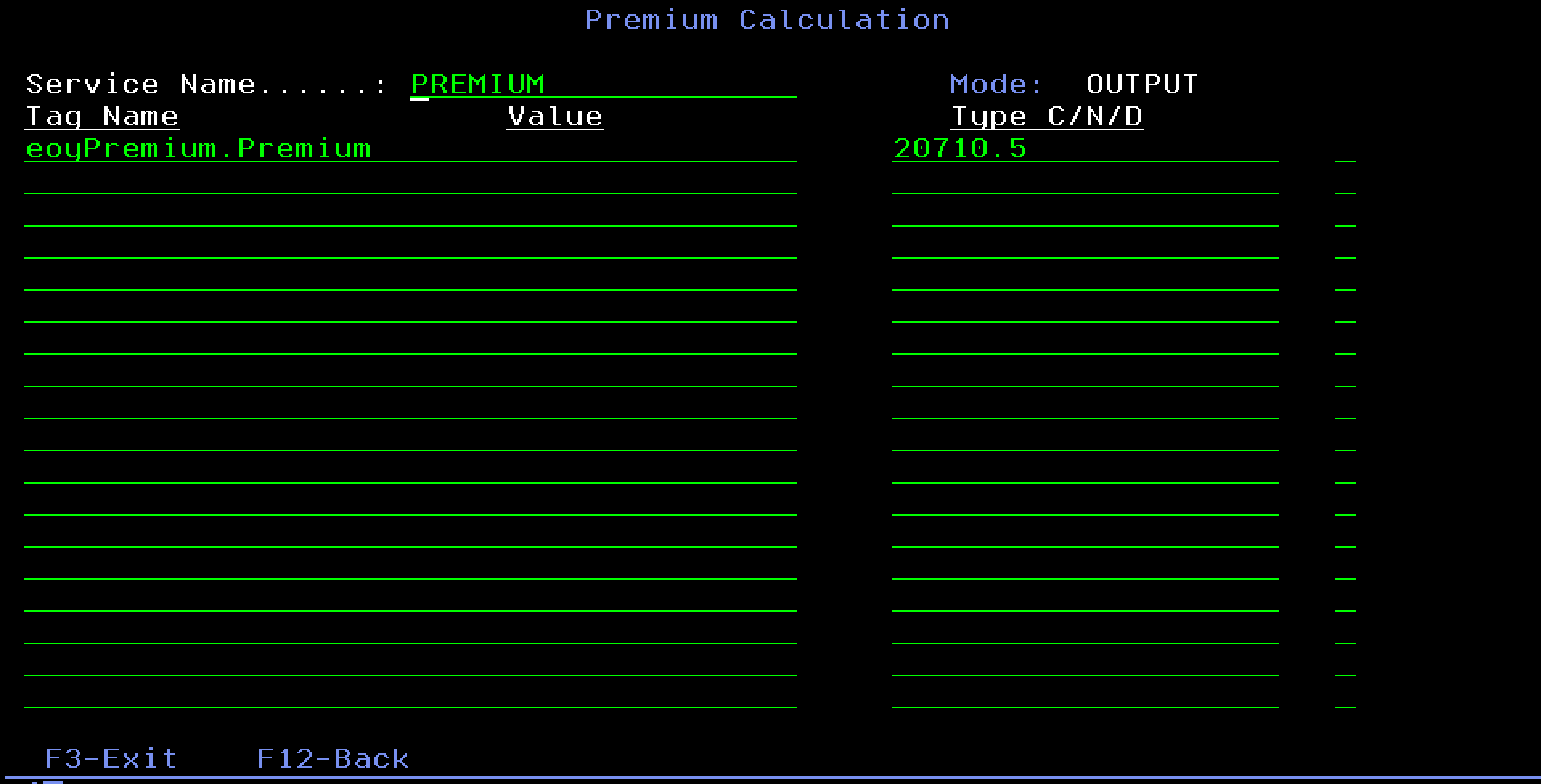
5. Wait for the response from the Externaliser to display in AS400.
#### Docker environment setup
**Build**
```bash
docker build . -t adapter-externaliser
```
Please reference Docker's documentation on [`docker build`](https://docs.docker.com/engine/reference/commandline/build/).
**Run**
```bash
docker run -d --name adapter-externaliser-container -p 8080:8080 adapter-externaliser
```
**Logs**
```bash
docker logs adapter-externaliser-container
```
Please reference Docker's documentation on [`docker run`](https://docs.docker.com/engine/reference/commandline/run/) and [`docker logs`](https://docs.docker.com/engine/reference/commandline/logs/).
### Adapter Transport
Adapter Transport service API accepts `POST` requests using JSON format in body to create a file containing the DML result.
Here are some links and references for an Adapter Transport:
* [Maven](https://maven.apache.org/guides/introduction/introduction-to-the-lifecycle.html)
* [Spring Boot](https://spring.io/projects/spring-boot)
#### Environment configurations
A sample configuration file is located in `src/main/resources/application.yml`. It is a standard spring boot configuration.
#### HTTP configuration
A minimum configuration for HTTP server is as follows.
```yaml
server:
port: 8080
```
#### **Spark configuration**
```yaml
spark:
host: excel.staging.coherent.global
tenant: adapter
api.key: 34e5d792-a216-411e-a0c0-ee2ccd82e8be
webhook:
context: post
```
* `host`: location of your Spark installation.
* `tenant`: name of your tenant.
* `api.key`: Spark API key.
* `context`: path of your webhook, defaults to `/post`.
#### Adapter configuration
```yaml
adapter:
url: http://adapter-dml-container:8080/converter/ingenium/custom
```
* `url`: location of the adapter.
#### Local environment setup
**Build**
```sh
mvn clean package spring-boot:repackage
```
**Run**
```sh
java -jar ./target/adapter-transport-service.jar
```
or via
```sh
mvn spring-boot:run
```
**Test**
```sh
curl -L -X POST 'localhost:8080/api' -H 'Content-Type: application/json' -d '{
"FolderName": "AdapterTest",
"ServiceName": "WL60G",
"EntityId": "35e15e92-bcbe-4dc1-ac79-3c19f309d67a",
"UserAction": "PublishEngine",
"AuditType": "ProductEngine",
"Data": {
"ProductName": "FRIPF",
"EngineName": "ABSimpleSum",
"FileName": "testoutput",
"ProductId": "00d08b21-b710-4a44-b3f2-b90dec06d93d",
"ServiceVersionId": "8527069b-faa8-4473-90c7-c99e6a665e83"
},
"Tenant": "adapter-dml",
"RequestTimeStamp": "2023-02-24 11:00:00"
}'
```
A successful webhook/API request would output `testoutput.35e15e92-bcbe-4dc1-ac79-3c19f309d67a.dml` within the root app folder in the docker container.
#### Docker environment setup
**Build**
```sh
docker build --build-arg version=1.0-SNAPSHOT --build-arg artifact=adapter-transport-service . -t adapter-transport-service
```
Please reference Docker's documentation on [`docker build`](https://docs.docker.com/engine/reference/commandline/build/).
**Run**
```sh
docker run -d --name adapter-transport-service-container -p 8080:8080 transport-service
```
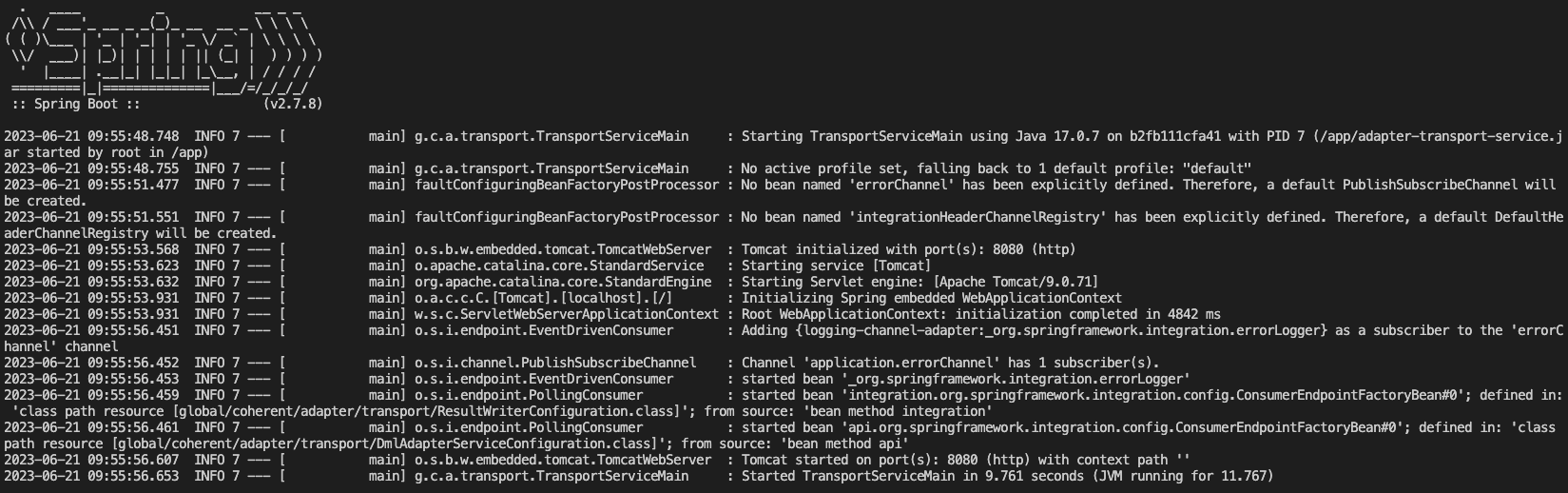
**Logs**
```sh
docker logs adapter-transport-service-container
```
Please reference Docker's documentation on [`docker run`](https://docs.docker.com/engine/reference/commandline/run/) and [`docker logs`](https://docs.docker.com/engine/reference/commandline/logs/).
## Docker compose
Compose is a tool for defining and running multi-container Docker applications. With Compose, you use a `YAML` file to configure your application’s services. Then, with a single command, you create and start all the services from your configuration.
A sample `docker-compose` file might include multiple services such as adapter transport service, Adapter DML Ingenium and others.
```yml
version: "3.9"
services:
adapter-dml-ingenium:
container_name: adapter-dml-ingenium-container
build:
context: .
ports:
- 8081:8080
adapter-transport-service:
container_name: adapter-transport-service-container
build:
context: ../adapter-transport-service
args:
version: 1.0-SNAPSHOT
artifact: adapter-transport-service
ports:
- 8080:8080
```
| [`docker compose build`](https://docs.docker.com/reference/cli/docker/compose/build/) | Build or rebuild services. |
| ------------------------------------------------------------------------------------- | ------------------------------------- |
| [`docker compose up`](https://docs.docker.com/reference/cli/docker/compose/up/) | Create and start containers. |
| [`docker compose stop`](https://docs.docker.com/reference/cli/docker/compose/stop/) | Stop services. |
| [`docker compose start`](https://docs.docker.com/reference/cli/docker/compose/start/) | Start services. |
| [`docker compose down`](https://docs.docker.com/reference/cli/docker/compose/down/) | Stop and remove containers, networks. |
| [`docker compose logs`](https://docs.docker.com/reference/cli/docker/compose/logs/) | View output from containers. |