> For the complete documentation index, see [llms.txt](https://docs.coherent.global/llms.txt). Markdown versions of documentation pages are available by appending `.md` to page URLs; this page is available as [Markdown](https://docs.coherent.global/build-spark-services/additional-mappings/call-spark-services-as-functions-xcall/cs.spark_udfcallapi-legacy.md).
# CS.SPARK\_UDFCALLAPI (legacy)
{% hint style="warning" %}
This functionality is deprecated and not supported.
{% endhint %}
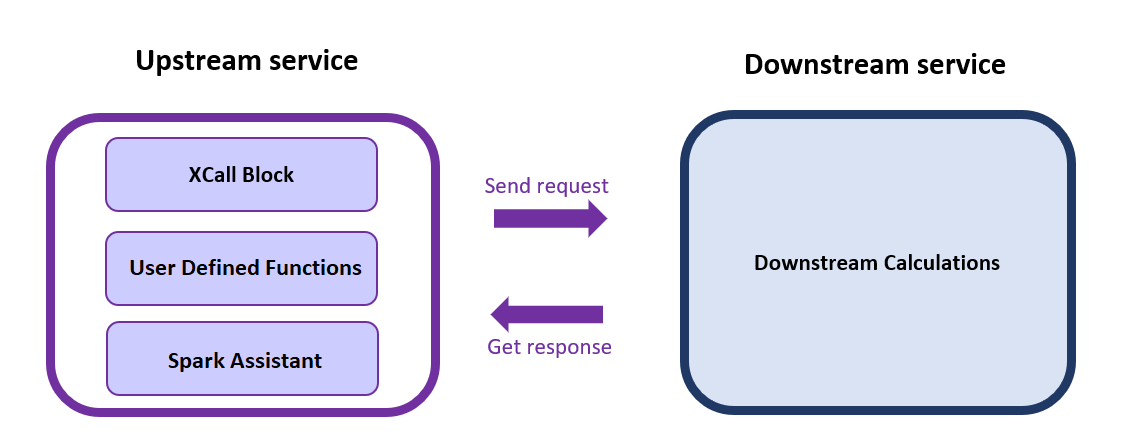
This implementation of `Xcall` has two parts, the `Xcall` block to define the request, and a user-defined function `SPARK_UDFCALLAPI` to receive responses.
## Sample files
In this example we are using two files (upstream and downstream) to show the functionality of the `Xcall` using [Coherent Assistant](/coherent-assistant.md).
* The downstream Excel file contains 2 `Xoutput`s (`Output1`, `Output2`), where `Output1` is a single value and `Output2` is a separate JSON object having its own outputs.
Upstream File
* The upstream Excel file contains the `Xcall` block, JSON response, and the user-defined functions (UDFs).
You can use these files to follow along:
{% file src="/files/1WMkiPkzfaRjdODfmsfT" %}
{% file src="/files/LHBRV1zEpMeEizDeDLVG" %}
## Preparation
### Downstream service
1. The downstream service must be an existing service in the same Spark tenant.
2. You will need the downstream folder name, service name and a sample of the request body.
1. You can get the folder name and service name of the downstream service from the [Folder overview](/navigation/folder-overview.md).
2. For the request body, select your downstream service and select the [API Tester](/navigation/api-tester.md). Under **API Request (Inputs)**, you can see inputs in different formats. Select **Raw view** and note the request body for the following steps.
### Upstream service
#### Request
Create an `xcall_block` block in the upstream service to make an API call. The `xcall_block` can be anywhere in your workbook but must be on the same sheet as your `CS.SPARK_UDFCALLAPI` function.
This table needs the following mandatory fields:
* `CALLTYPE`: `SparkService`
* `FOLDERNAME`: Name of the folder containing the downstream service.
* `SERVICENAME`: Name of the downstream service.
* `REQUESTBODY`: Payload for calling the downstream service. Must be in JSON format. You can copy the `REQUESTBODY` from the downstream service API Tester. If this is your first time using `SparkService`, leave the content of [Execute API (v3)](/spark-apis/execute-api/execute-api-v3.md#request_meta) empty. Spark will use the latest version and the default Service Type to execute this service. The `request_meta` follows the parameters that can be defined in [Execute API (v3)](/spark-apis/execute-api/execute-api-v3.md#request_meta).
{% hint style="info" %}
Make sure that `FOLDERNAME` and `SERVICENAME` match the uploaded service folder name and service name on Spark
{% endhint %}
`REQUESTBODY` example (v3 format):
```json
{
"request_data": {
"inputs": {
"InputField": "InputValue"
}
},
"request_meta": {}
}
```
#### Response
With [Coherent Assistant](/coherent-assistant.md), a user-defined function `CS.SPARK_UDFCALLAPI(xcall_block)` can be defined in an Excel worksheet of the upstream service to receive an API response from the downstream service.
* `xcall_block` is the location of `Xcall` table in upstream service. e.g. `$A$1:$B$4`. You can also use a named range for convenience.
* The function must be on the same sheet as the `XCallTable`.
* The function will return a JSON formatted string with two parts.
* The first, `metadata`, contains information about the call to the downstream service such as `status`, `error_code`, and `response_time`.
* The second, `data`, contains the response body of the downstream service.
**Sample response**
```json
{
"metadata": {
"name": null,
"calltype": "SparkService",
"status": "200",
"error_code": "",
"response_time": "225"
},
"data": {
"status": "Success",
"response_data": {
"outputs": {
"OutputField": "OutputValue"
},
"warnings": [],
"errors": [],
"service_chain": []
},
"response_meta": {
"service_id": "166f5109-b01f-4d14-b10d-49669e3489e0",
"version_id": "52e710a8-9ca1-4ab2-9366-dc304a9eb670",
"version": "1.0.0",
"process_time": 4,
"call_id": "07ea654c-4136-4075-a195-7eaba15391c4",
"compiler_type": "Type3",
"compiler_version": "1.0.0",
"source_hash": null,
"engine_id": "F0D5B2B02645AAE15F63BABFBF94FBEF",
"correlation_id": "",
"system": "SPARK",
"request_timestamp": "2022-02-28T16:14:25.148Z"
},
"error": null
}
}
```